

Portal
Signed. Delivered. On record.
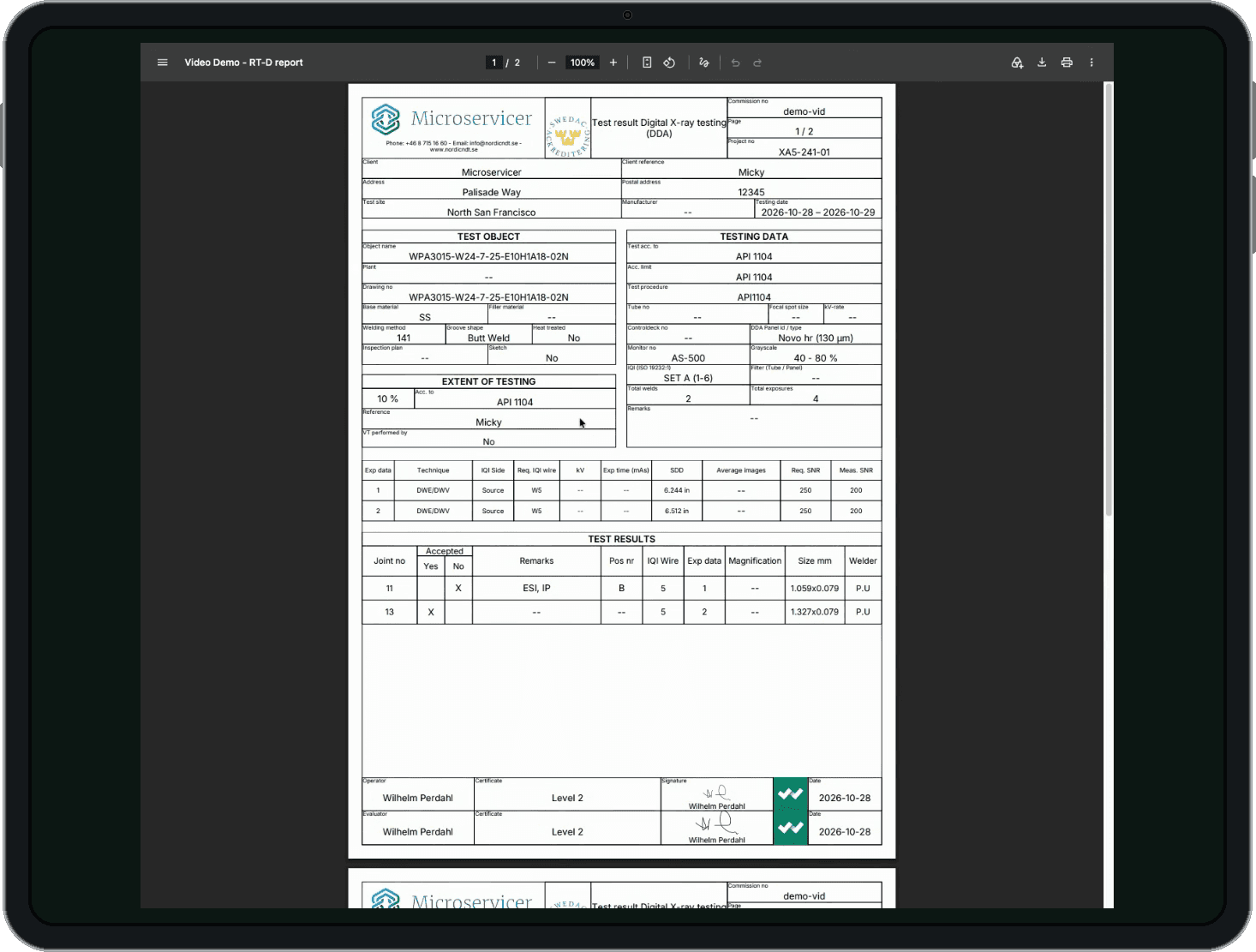
Signed reports land in the Portal. Your office and your client open them there, in your template, and every change after that is a numbered revision.
The problem
The end of the email chain.
Reports used to travel as attachments. Rejected by email, approved by text, with photos split across messages because they were too big to send.
In the Portal there's one current version of each report. It locks once it's signed, and every revision is numbered and kept.
How it works
From signed to delivered.
The report is built at the weld
On the procedures from your inspection plan.
A second signer signs in the Field App
A valid certificate for the method, confirmed with a PIN.
The signed report locks
Any later change becomes a new numbered revision.
It lands in the Portal
Your office and your client open it there, in your template.
What it covers
What's on the record.
Signatures with cert level and date
Operator and Evaluator, each with who signed, on which certificate and level, and when. Your client's contact can sign too, on the tech's device; that records who and when.
Saved signature, stamp, and certificate
On file once, so nobody pastes an image into a PDF.
A signing PIN
Each signer confirms their signature with their own PIN.
Locked once signed
A signed report can't be edited in place.
Revision history
A change after signing makes a new numbered revision; the old one stays on file as superseded.
Delivered in your template
The format and stamp your clients already know.
Ready when the work is
The signed report is in the Portal when the job is done, so invoices don't wait on paperwork.
Files, downloaded from the Portal
Images and radiographs preview, PDFs open, and your client downloads each file there.
Where the data is kept, and SOC 2 status: Security.
Working with


Proof
Results measured in production.
Measured by Weld Done at Nordic NDT.
“I had to double-check and basically correct every report. With Weld Done, I don't have to do that double work anymore.”
FAQ
Questions.
Every other answer is on the FAQ page.
Can we pull a report without chasing the tech?
Yes. Every signed report lands in the Portal with its job, so the office opens it there instead of asking the tech for it.
What's recorded when a report is signed?
Each signature with the signer's cert level and the date, confirmed with a signing PIN.
Can a signed report be changed?
It locks once it's signed. A change after that makes a new numbered revision.
Our radiographs are too big to email. How does our client get them?
From the Portal. Your client's contact downloads each file there: images and radiographs preview, and PDFs open in a viewer.

See your own report rebuilt.
Book a 30-minute demo on one of your real reports.
Not ready to talk? The calculator works out hours and costs back from your own numbers.